Personal Budget Tracker – Excel Template USD
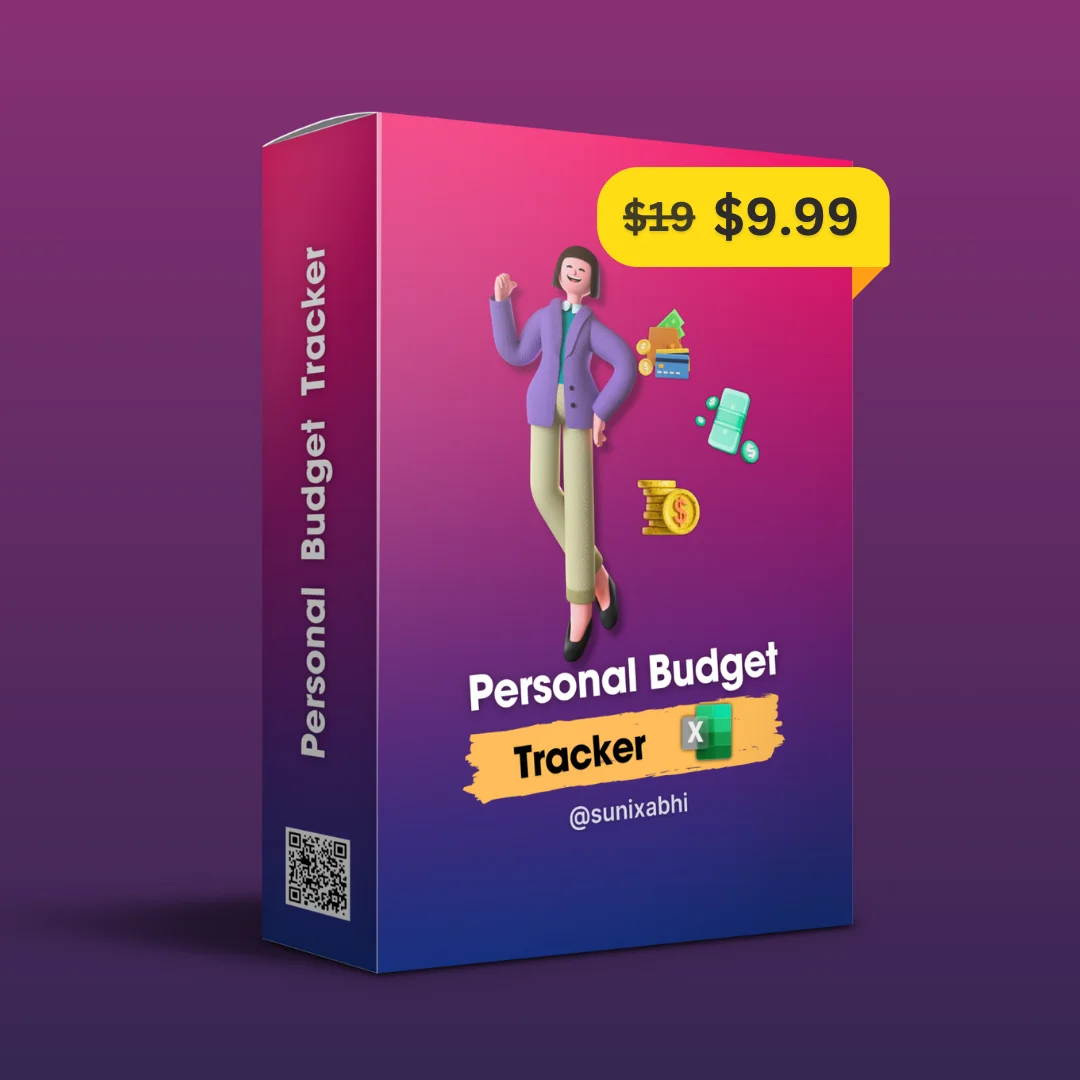
Original price was: ₹19.99.₹9.99Current price is: ₹9.99.
Description
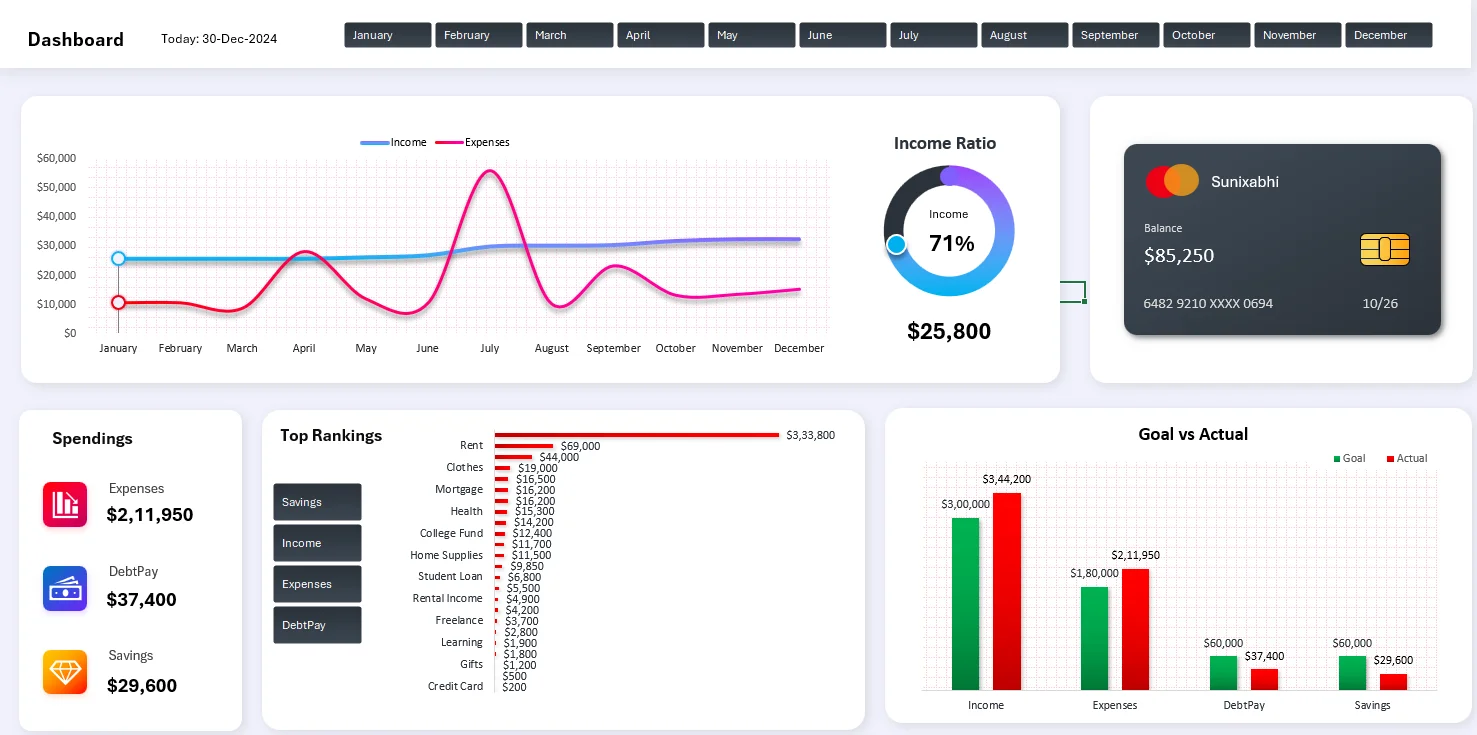
On the dashboard, you can easily view and analyze various aspects of your finances:
1. Month Slicer for Precision: Quickly select any month and perform a detailed financial analysis for that specific period. This feature allows you to zoom in on your finances and focus on what matters most at any given time.
2. Income vs. Expenses Graph: Visualize the comparison between your income and expenses. Are your expenses exceeding your income? This graph provides a clear answer, helping you spot areas where you might need to cut back.
3. Income Ratio Insight: Gain a deeper understanding of the balance between your different income sources. Are you too dependent on a single source? The income ratio insight will reveal the diversity—or lack thereof—in your income streams.
4. Personalized Experience: The dashboard isn’t just functional; it’s tailored for you. Personalize your name on the card and track your month’s closing balance effortlessly. This feature enhances your connection with your financial data, making the tracking process feel more personal and meaningful.
5. Comprehensive View: Access a detailed overview of all your expenses, debt payments, and savings across all months. With this all-encompassing view, you’ll never miss an important detail, ensuring that you’re fully informed about your financial situation.
6. Top-Ranked Types: Discover where your money comes from and where it goes. By viewing the top-ranking types in income, expenses, savings, and debt payments, you can better understand your financial habits and make more informed decisions.
7. Goal vs. Actual Comparison: Set your financial goals and monitor your progress with ease. Whether it’s income, expenses, savings, or debt payments, you can see how well you’re meeting your targets, helping you stay on track and adjust your strategy as needed.
————-
⭐ Data Entry: Simple and Easy ⭐
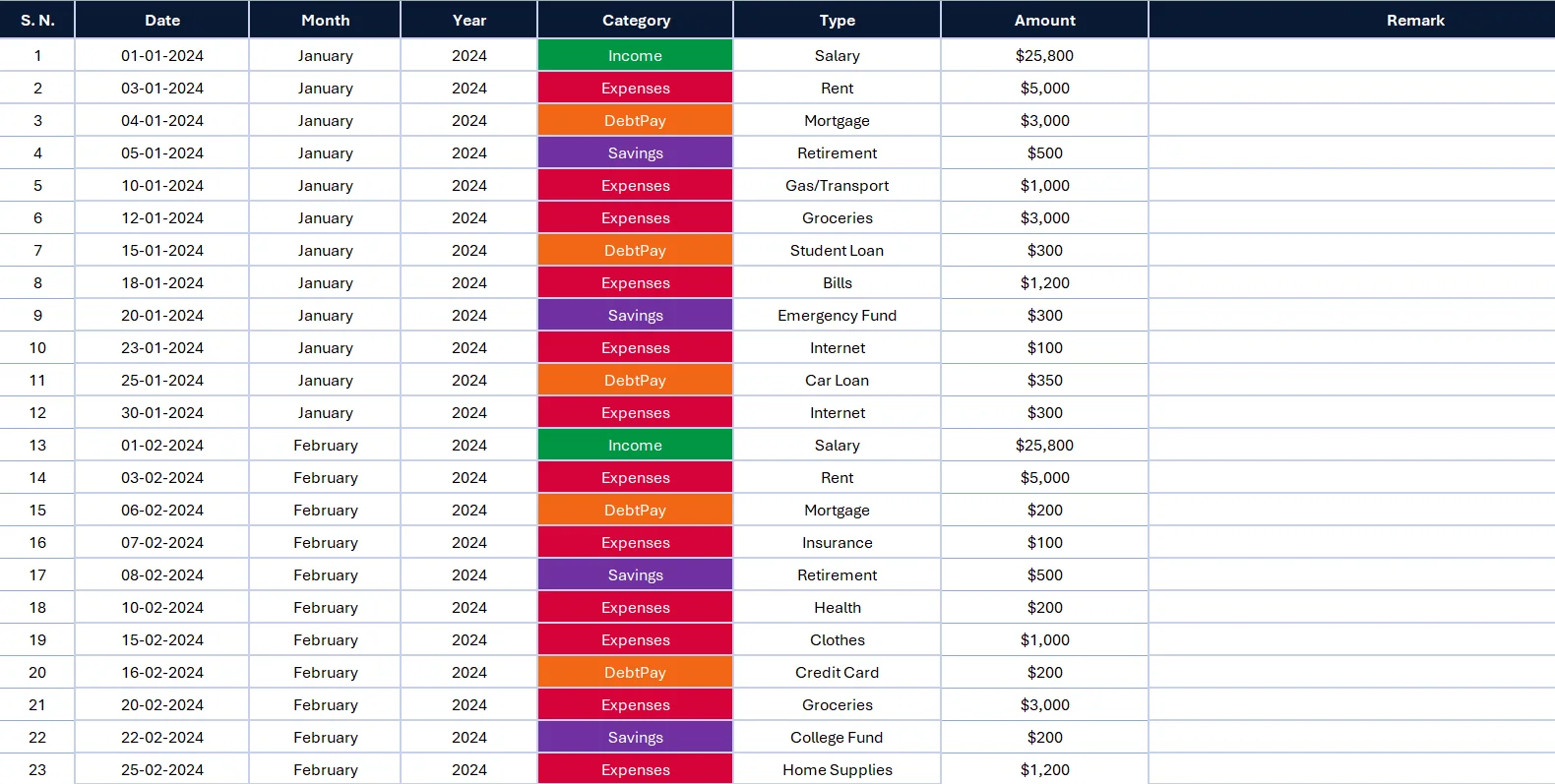
In the Data Tab, you can easily manage your financial entries:
1. Data Entry Made Simple: The Data Tab serves as your dedicated space for inputting financial data. Here, you can enter your income, expenses, savings, and debt payments. The tab is designed for easy and efficient data entry, allowing you to keep your financial records up to date without hassle.
2. Automatic Dashboard Updates: Once you’ve entered your data, the dashboard automatically reflects these changes. There’s no need to manually update anything—your inputs in the Data Tab instantly sync with the dashboard, ensuring that your financial analysis is always current and accurate.
3. Refresh for Accuracy: After entering your data, simply click the refresh button in Excel to update all information across the workbook. This ensures that every detail is captured and that your dashboard displays the most accurate and up-to-date financial insights.
This seamless integration between the Data Tab and the dashboard makes managing your finances straightforward and efficient, giving you clear and real-time insights with minimal effort.
———-
🔸 Settings Customization 🔸
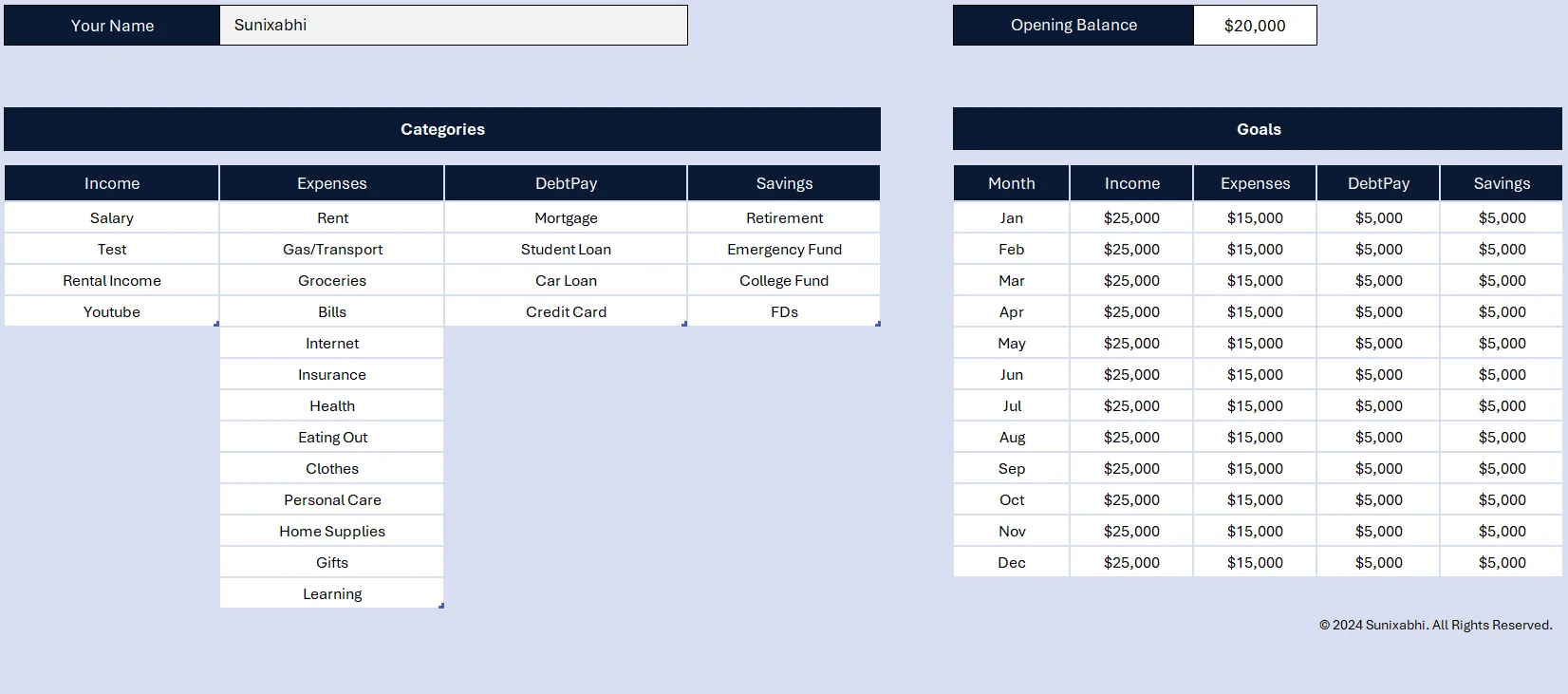
In the Settings Tab, you have the flexibility to personalize your Personal Budget Tracker to match your financial preferences and goals. Here’s a detailed breakdown:
1. Enter Your Name: Adding your name personalizes the tracker, making it feel more like your own financial tool. This customization helps create a sense of ownership and connection to your budgeting process.
2. Set Your Opening Balance: The opening balance is where you input your starting amount for the budget tracker. Whether it’s your bank account balance or cash on hand, this figure establishes the baseline for tracking your financial progress over time.
3. Edit Subcategories: The tracker comes with predefined categories, but everyone’s financial situation is different. The Settings Tab allows you to edit and customize these subcategories to reflect your actual spending and income patterns. Whether you want to add a new category for a side hustle or remove one that doesn’t apply, you have full control.
4. Set Financial Goals: Set specific targets each month for your income, expenses, debt repayment, and savings. This helps you manage your finances effectively and stay on track with your financial goals.
By customizing these elements, you ensure that the Personal Budget Tracker provides insights that are truly relevant to your financial life, helping you make informed decisions and achieve your financial goals more effectively.
————
💲Refund Policy 💲
Since our product is a digital download, all sales are final. Please review the following refund policy carefully:
No Refunds: We do not offer refunds or exchanges once the digital product has been delivered.
Download Issues: If you encounter any issues with downloading or accessing your product, please contact us via Instagram: instagram.com/sunixabhi. We will assist you promptly.
Accidental Purchases: Refunds are not provided for accidental purchases or change of mind.
By completing your purchase, you agree to this Refund Policy.
Reviews
There are no reviews yet.